
NAT Type Detection Tool
Detect your network NAT type to determine P2P connectivity and remote access capabilities
Ready to Test
Click the button below to start detecting your NAT type
Port Restricted Cone NAT
Port Restricted
Current network type: NAT3 - Some restrictions apply
Application Compatibility Assessment
NAT Type Explanation
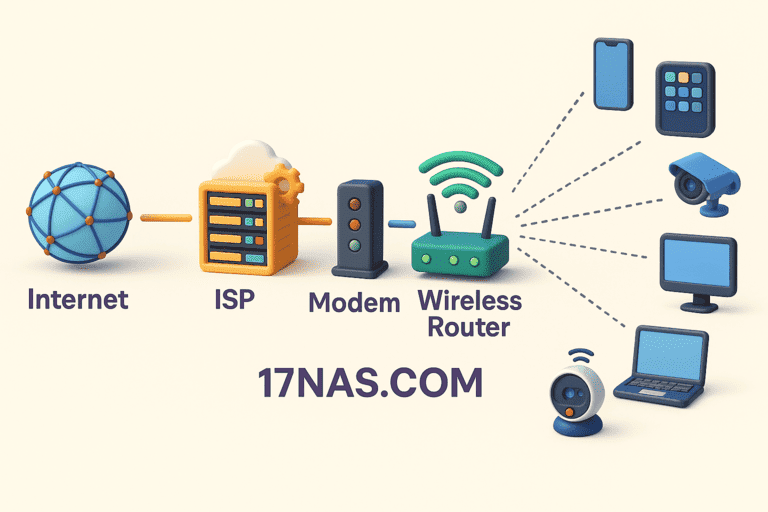
NAT Network Address Translation Diagram
Full Cone NAT
特点:一次映射,全网可达。任何外网服务器都能主动连接内网主机。
适用场景:P2P下载、远程桌面、游戏联机、自建服务器
Restricted Cone NAT
特点:限制IP地址。只有客户端主动连接过的IP地址,才能反向连接客户端(端口不限)。
适用场景:大部分P2P应用、视频通话、在线游戏
Port Restricted Cone NAT
特点:限制IP+端口。只有客户端主动连接过的确切IP和端口组合,才能反向连接。
适用场景:部分P2P应用可用,游戏NAT类型显示为中等,可能需要端口转发
Symmetric NAT
特点:每个连接独立映射。连接不同服务器时,NAT会分配不同的外网端口,导致P2P打洞失败。
适用场景:P2P下载速度慢、游戏无法联机、远程桌面失败,通常需要中继服务器或VPN
Frequently Asked Questions
What is NAT?
NAT (Network Address Translation) is a technology that allows multiple internal devices to share one public IP address. Routers convert internal IPs to public IPs for internet access.
Why detect NAT type?
Different NAT types affect P2P connections, remote access, and online gaming. Understanding your NAT type helps determine if port forwarding or other solutions are needed.
How to improve NAT type?
Try: 1) Configure DMZ host in router; 2) Set up port forwarding; 3) Enable UPnP; 4) Request public IP from ISP; 5) Use IPv6 network.
What if detection fails?
Detection failure may be due to network issues or firewall blocking. Ensure: 1) Network connection is normal; 2) Browser allows network access; 3) Firewall/antivirus not blocking; 4) Try refreshing and retesting.